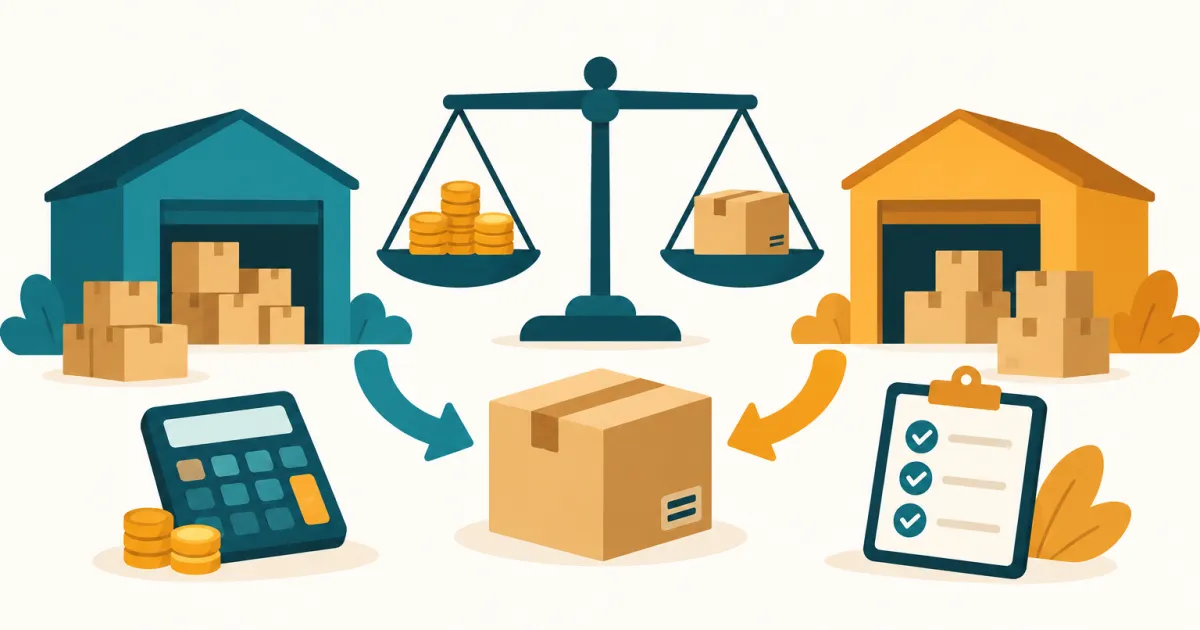
ShipBob is an outsourced fulfillment provider that stores your inventory in its own network of warehouses and ships direct-to-consumer orders on your behalf. For an Amazon seller the headline fact is narrower than the marketing suggests: ShipBob’s own site states that it cannot fulfill Amazon Prime orders, and positions itself for Fulfilled by Merchant volume plus automated FBA prep instead (shipbob.com/amazon-fulfillment, checked 2026-08-31). The second headline fact is that ShipBob publishes no rates at all — its pricing page names four fee categories and then routes you to a quote form.
This ShipBob review works through both: what the official pricing page does and does not tell you, the two specific jobs ShipBob does for an Amazon business, the scenarios where FBA remains the better answer, and who should not be on the call. Every claim below was read from ShipBob’s own pages on 2026-08-31.
What ShipBob is, in Amazon terms
ShipBob is a third-party logistics provider (3PL). You send inventory to its fulfillment centers, it receives and stores the units, and when an order arrives from a connected sales channel it picks, packs, and ships that order to the customer. ShipBob describes a network with fulfillment centers in the USA, Canada, the UK, Australia, and Europe, and says it can ship to “more than 250 destination” (shipbob.com/pricing, checked 2026-08-31 — the singular is the site’s own).
Three capability claims matter for an Amazon seller and all three come from official pages:
- The software is free. “ShipBob’s software is completely free for all customers, as well as connecting all turnkey integrations” (shipbob.com/pricing, checked 2026-08-31). You are buying logistics, not a SaaS seat — which is why the cost question is entirely a quote question.
- Branded packaging is included. “With ShipBob, you can use your own packaging at no additional cost” (shipbob.com/amazon-fulfillment, checked 2026-08-31); custom boxes and mailers are permitted and you pay only to store them.
- Carrier rates are pooled. ShipBob says it has negotiated bulk discounts with UPS, USPS, FedEx and DHL plus regional carriers “and pass those savings on to you” (shipbob.com/pricing, checked 2026-08-31).
None of that is unusual for a mid-market 3PL. What distinguishes ShipBob for Amazon specifically is the Amazon Fulfillment Suite described below — and the Prime limitation attached to it.
ShipBob pricing: what the official page actually publishes
ShipBob’s pricing page is titled “Clear outsourced order fulfillment pricing.” It publishes a fee structure and no fee rates. The four standard charges it names are:
| Fee category | How the pricing page describes it |
|---|---|
| Implementation | Listed by name only — the page attaches no description and no figure |
| Receiving | “Receiving your inventory” |
| Warehousing | “Warehousing your products” |
| Pick, pack and ship | “Picking, packing, and shipping each order” |
Beyond that structure, the page is explicit that numbers are per-account: “All quotes are customized for each customer.” Shipping specifically is called out as “variable in nature, based on weight, dimensions, destination, service, and more,” with each quote also taking “batchable orders, volume, and other factors into account” (shipbob.com/pricing, checked 2026-08-31).
Several add-ons are named as costing extra without a figure attached: kitting (“at an additional cost,” and only “once approved”), B2B/wholesale and EDI orders (including labeling, pallet preparation and freight), and returns, which carry “a flat-fee for returns” applied when the return physically arrives at the fulfillment center. Plain packaging — brown boxes, poly mailers, bubble mailers, tape, dunnage and shipping labels — is free.
One further data point comes from ShipBob’s own blog rather than its rate card: it describes its model as “only charging for implementation, receiving, storage, and shipping. Standard packaging and picking (up to 5 items) incur no additional costs” (shipbob.com/blog/alternative-to-amazon-fba, page dated 30 July 2026, read 2026-08-31). That is a vendor marketing page, not a price list, and the pick-count threshold is the only quantified term ShipBob publishes anywhere in its pricing material.
The practical consequence: you cannot budget ShipBob from public information, and you cannot compare it against FBA on a spreadsheet before you talk to sales. That is the same structural problem covered in our Extensiv (Skubana) review
— quote-only pricing systematically favours the buyer with volume and leverage. Also note ShipBob’s WMS: shipbob.com/wms/pricing/ redirects to the same fulfillment pricing page, so the warehouse software has no published price either.
The two Amazon jobs ShipBob does
ShipBob’s Amazon Fulfillment Suite covers two distinct workflows, and conflating them is the most common way sellers mis-scope a quote.
Job one: Amazon FBM fulfillment. You connect the Amazon store, sync products, ShipBob holds the inventory, and when an Amazon order arrives ShipBob fulfills it “in accordance with Amazon’s SLAs” (shipbob.com/product/amazon, checked 2026-08-31). This is merchant-fulfilled volume — no Prime badge from ShipBob.
Job two: automated FBA prep. ShipBob preps and forwards inventory into Amazon’s network on your behalf. Its published six-step flow:
| Step | What happens |
|---|---|
| 1 | You create an FBA prep order in the ShipBob dashboard |
| 2 | ShipBob sends the order info to Amazon Seller Central via API |
| 3 | ShipBob picks and packs the shipment |
| 4 | ShipBob prints the Amazon box, pallet and shipping labels |
| 5 | ShipBob books freight or parcel |
| 6 | You track it, with signed BOLs, in the ShipBob dashboard |
Job two is the one that surprises people. It means ShipBob can sit upstream of FBA rather than competing with it, absorbing the labeling and inbound-shipment work that otherwise falls on you or a dedicated prep house. If prep and inbound are your actual bottleneck, compare it against the specialists in our FBA inspection and prep services roundup rather than treating ShipBob as the default.
Where ShipBob fits next to FBA — and where it does not
The honest framing is not “ShipBob vs FBA.” ShipBob’s own guidance is to run both: it “highly recommend[s] diversifying your fulfillment options (e.g., use both FBA and FBM) to maximize sales” (shipbob.com/amazon-fulfillment, checked 2026-08-31). Here is where each side wins.
Use ShipBob when your Amazon business is not only an Amazon business. If Shopify, TikTok Shop or wholesale accounts are a meaningful share of revenue, splitting inventory between Amazon’s FCs and a 3PL creates two stock pools you have to reconcile. Consolidating the non-Amazon side into one 3PL that also preps into FBA collapses that problem. The general trade-offs between the two models are set out in our FBA vs. FBM comparison .
Use ShipBob when branding on the parcel matters. FBA ships in Amazon boxes. ShipBob permits your own packaging at no extra fulfillment cost. If your DTC channel is where the brand equity lives, that is a real difference rather than a talking point.
Use ShipBob when Amazon’s storage economics have turned against you. Long-term storage surcharges, aged-inventory fees and inbound placement charges are all volume- and age-sensitive, and slow-moving SKUs are where they bite. A 3PL charging plain warehousing can be the cheaper home for the tail of your catalogue while your fast movers stay in FBA. Deciding which SKUs belong where is a forecasting job before it is a logistics job — the tooling for it sits in our inventory and operations workflow hub .
Stay on FBA when the Prime badge drives the sale. This is the hard boundary. ShipBob states plainly that it “cannot fulfill Amazon Prime orders.” Seller Fulfilled Prime is not a workaround here, because SFP requires you to meet Amazon’s Prime delivery standards from your own or your 3PL’s facilities and ShipBob does not offer it. In competitive categories where the badge decides the Buy Box, moving volume off FBA is a demand decision disguised as a logistics decision.
Stay on FBA when Amazon is essentially your whole business. A single-channel FBA seller adds a warehouse relationship, a second inventory ledger and a quote negotiation, in exchange for capabilities that only pay off across channels. If you are exploring Prime-adjacent reach for a DTC store instead, the economics of that route are laid out in our Buy with Prime case studies .
One cost line survives either choice: FBA reimbursements for units Amazon loses or damages are yours to claim, and they do not disappear because a 3PL now handles some of your volume. ReimburseOps (reimburseops.com ) audits Seller Central reimbursement exports against your own cost data on a free tier and $19/month Pro, with no commission on what you recover (reimburseops.com, checked 2026-08-27). It files nothing for you and connects to no Amazon account — it reads CSVs you export — so it sits alongside a fulfillment decision rather than inside it.
What the public review record shows
ShipBob’s Trustpilot profile carries a TrustScore of 4.0 out of 5 across 1,058 reviews, with 182 of those posted in the last twelve months (trustpilot.com, checked 2026-08-31). The distribution is more informative than the average: 73% five-star and 17% one-star, with 8% four-star and barely 2% in the three- and two-star bands combined.
That barbell shape — most reviewers delighted, a sizeable minority furious, almost nobody lukewarm — is the signature of a service whose fit is binary. It is consistent with what the pricing model implies: outcomes are set at the quote and the onboarding, so accounts that were scoped correctly report a smooth operation and accounts that were not report a broken one. ShipBob has replied to 23% of its negative reviews on the platform.
We have not run ShipBob hands-on and hold no verbatim review quotes for it in our own corpus, so the distribution above is the extent of what we will assert about user experience.
Who ShipBob is wrong for
Amazon-only sellers whose category is Prime-driven. No badge, no workaround, and the one capability ShipBob would add — distributed inventory — is something FBA already does for you.
Anyone who needs to compare before they talk. With no published rate for receiving, storage, pick-pack or shipping, a shortlist that includes ShipBob cannot be evaluated on price until at least one sales conversation has happened. If your process requires a like-for-like cost comparison up front, that is a genuine disqualifier, not a preference.
Low-volume sellers. Implementation is a named standard fee with no published figure, and 3PL economics are volume economics. Below a few hundred orders a month the fixed side of the arrangement is doing most of the work.
Sellers whose real problem is inbound, not outbound. If the pain is getting units into Amazon cleanly, a prep specialist or a freight forwarder may solve it for less than a full fulfillment relationship — our freight forwarder guide covers that side of the decision.
How amzfinder scores ShipBob
Every tool on this site is assessed on eight dimensions — Accuracy, Ease, Depth, Automation, Team Fit, Support, Pricing, and Stage Fit. Two of them decide this one.
Pricing scores poorly on transparency, independent of whether any given quote is fair: four named fee categories, zero published rates, and every add-on priced on application. Stage Fit is the deciding dimension — ShipBob is built for multi-channel brands at volume, and the polarised review distribution reads as stage and scope mismatches more than as product failure. Automation scores well on the strength of the FBA prep flow, which is genuinely more than most 3PLs automate against Seller Central. The full method is on our scorecards page .
FAQ: ShipBob for Amazon sellers
How much does ShipBob cost? ShipBob does not publish rates. Its pricing page names four standard fees — implementation, receiving, warehousing, and pick/pack/ship — and states that “All quotes are customized for each customer” (shipbob.com/pricing, checked 2026-08-31). Any specific per-unit figure you find in a third-party blog is that writer’s quote, not a published rate, and should not be used for budgeting.
Can ShipBob fulfill Amazon Prime orders? No. ShipBob’s own page states that it “cannot fulfill Amazon Prime orders” and offers fulfillment for Amazon FBM orders instead (shipbob.com/amazon-fulfillment, checked 2026-08-31).
Does ShipBob replace FBA? Not by ShipBob’s own account. It recommends running both FBA and FBM, and its FBA prep automation is designed to feed Amazon’s network rather than bypass it.
Is there a ShipBob free trial or free plan? The dashboard software is free to all customers, including turnkey integrations, but the fulfillment service itself is quote-based and no trial is advertised on the pricing page (checked 2026-08-31).
Where can I read this in Chinese? A Chinese-language ShipBob review covering the same official sources is published at sellerhow.com .
Disclosure: this page contains no affiliate links, and amzfinder earns no commission from ShipBob, Trustpilot, or ReimburseOps. We do not accept paid placement or sponsored reviews. Pricing, capability and Amazon-fit claims were read from shipbob.com — /pricing/, /amazon-fulfillment/, /product/amazon/ and /blog/alternative-to-amazon-fba/ — checked 2026-08-31; the Trustpilot score, review count and star distribution were read from trustpilot.com, checked 2026-08-31; ReimburseOps’s pricing and feature claims were verified against reimburseops.com, checked 2026-08-27. No service was tested hands-on. Rates and terms change; confirm your own quote before you commit inventory. Last updated: August 2026.