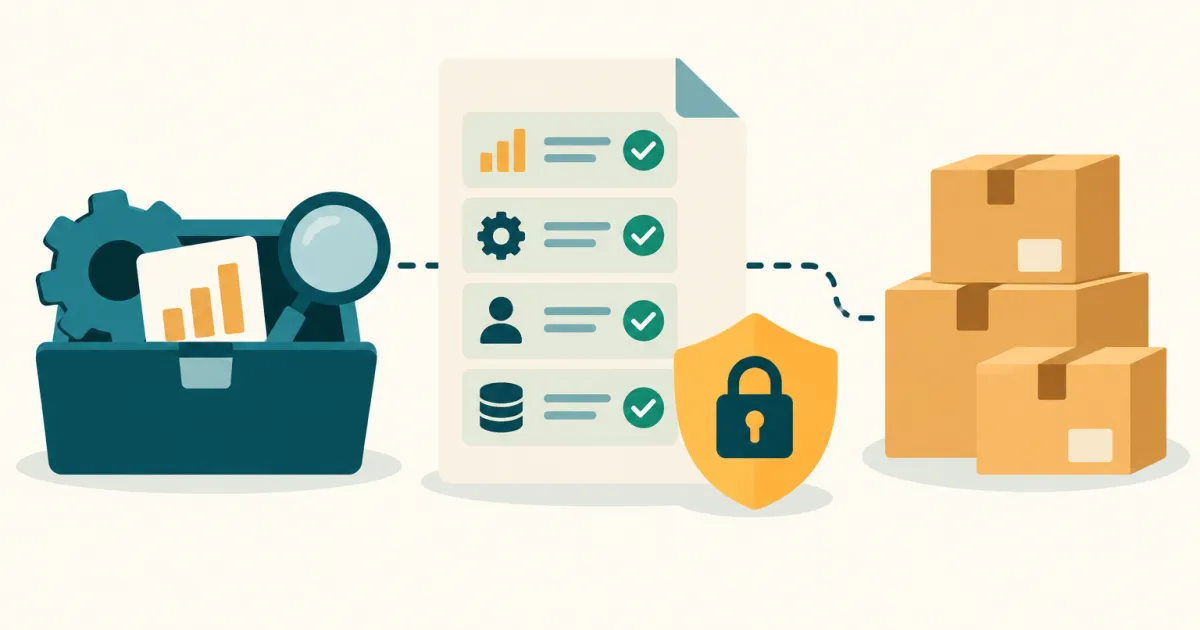
When a tool shows you a “Connect your Amazon account” button, it is asking for a named set of Selling Partner API (SP-API) roles — not for generic access. Amazon publishes seventeen of them, four are classed as Restricted because they touch personally identifiable information, and the consent screen inside Seller Central lists the ones a given application was approved for. What almost no vendor publishes is which roles its application requests. This page separates the two halves: the role list Amazon documents, and what six seller tools actually say in their own help centres. It is worth reading now because Amazon rebuilt the authorization screen itself in August 2026. Amazon’s role definitions were checked on 2026-08-22 against developer-docs.amazon; every vendor page was checked the same day.
What changed in August 2026
Amazon’s SP-API changelog entry dated 19 August 2026 states: “Starting August 19, 2026, a simplified Seller Central authorization experience makes it easier for sellers to grant your service access to their accounts. Sellers can now grant permissions in just three steps, scoped directly to the services you’re qualified for” (checked 2026-08-22).
Three things in that entry matter to sellers rather than to vendors. Authorization can now start from a provider’s own link, from an Authorize Provider button on a Service Provider Network listing, or from the Manage Service Requests dashboard — so the flow may begin on the vendor’s site rather than inside Seller Central. The consent page is where “they can select the roles that they want to grant and authorize”, which makes the role list an active choice rather than a notice. And “Roles are automatically scoped to your qualified service categories” — a provider cannot ask for roles outside the categories Amazon approved it for.
Two dates circulating in trade coverage did not check out against Amazon’s own pages. An article on ecomranker.com published 13 August 2026 states “Starting 8/10/2026, how Sellers delegate Seller Central access to your service is changing” and tells providers to “verify and update your role coverage before 9/3/2026”, citing no Amazon page or URL. Searching Amazon’s Solution Provider Portal FAQ, its service provider registration page and its changelog on 2026-08-22, we found neither 8/10/2026 nor the 9/3/2026 role-coverage deadline; the official changelog dates the change to 19 August 2026. Treat the September deadline as an unverified third-party report until Amazon publishes it.
What “connect your Amazon account” actually does
You are not handing over a password. Amazon’s own wording is that “The authorization model for SP-API is based on Login with Amazon” (checked 2026-08-22). You sign in to Seller Central, review a consent screen, and the application receives a refresh token scoped to a fixed set of roles. Everything the tool can read or write afterwards is bounded by that set.
Two consequences follow, and both are easy to miss.
First, the vendor cannot invent scope at runtime. Amazon requires role approval up front: “Before a seller can authorize you to access their Seller Central account, you must first be approved for all the roles that your service requires” (checked 2026-08-22). A tool that has not been approved for Brand Analytics cannot ask you for it.
Second, the consent screen is the only place most sellers ever see the list. Amazon documents that at the confirmation step “The seller sees the roles that you’ve been approved for based on your service category”, and that individual roles can be adjusted before confirming (checked 2026-08-22). If you clicked through that screen quickly, the fastest way to see what you granted is to go back and look — see the audit section below.
The seventeen SP-API roles, in plain English
Checked 2026-08-22 against Amazon’s Roles in the Selling Partner API page. Descriptions in the middle column are Amazon’s own, condensed; the Restricted flag is Amazon’s classification, not ours.
| Role | What it unlocks | Restricted |
|---|---|---|
| Account Information Service Provider | Account-level information: the seller’s business and the Amazon stores where the account is active | No |
| Amazon Fulfillment | FBA and Amazon Fulfillment Network operations and shipping services | No |
| Amazon Warehousing and Distribution | AWD shipment and inventory operations | No |
| Brand Analytics | Store analytics reports — seller and vendor performance metrics, consumer behaviour insights on how customers discover and buy | No |
| Buyer Communication | Operations that manage messaging to and from Amazon buyers | No |
| Buyer Solicitation | Buyer feedback solicitation operations | No |
| Direct-to-Consumer Shipping | Shipping orders directly to customers using their carrier of choice | Yes |
| Finance and Accounting | Operations that create accounting and financial statements | No |
| Inventory and Order Tracking | Operations that analyse and manage inventory | No |
| Notifications in Seller Central | Sending targeted notifications to sellers inside Seller Central | No |
| Payment Initiation Service Provider | Initiating payout to the seller’s deposit method and issuing order refunds | No |
| Pricing | Determining list prices and automating product pricing | No |
| Product Listing | Creating and managing product listings | No |
| Professional Services | Add-on services such as assembly and installation for Amazon buyers | Yes |
| Selling Partner Insights | Retrieving information about a selling partner’s account and performance | No |
| Tax Invoicing | Generating tax invoices to comply with tax regulation | Yes |
| Tax Remittance | Calculating and remitting sales taxes | Yes |
Read that list against a tool’s feature page and the mismatches jump out. A profit dashboard needs Finance and Accounting plus Inventory and Order Tracking. A repricer needs Pricing. A keyword tool needs Brand Analytics. None of those three needs Payment Initiation Service Provider, which can move money to your deposit method.
What “Restricted” means, and which roles carry PII
Amazon’s definition is one sentence, and it is the sentence worth memorising: “In the following sections, Restricted means that the role requires sensitive information, which might include personally identifiable information (PII)” (checked 2026-08-22).
Three of the four Restricted roles carry an explicit PII note on the same page: Direct-to-Consumer Shipping (“Operations that require this role use PII to enable shipping”), Tax Invoicing (“Operations that require this role require PII to enable tax invoice generation”), and Tax Remittance (“Operations that require this role might use PII to calculate sales taxes”). Professional Services is classed Restricted without a separate PII sentence.
The practical filter: a tool that neither ships your orders nor files your tax invoices has no documented reason to hold a Restricted role. If one appears on your consent screen for a keyword tracker, that is the item to ask about before confirming.
Separately, Amazon documents an End User Data Report that “provides access to end user (customer) data, including contact information, page view (glance view), and order data”, available for a specific list of European stores — Ireland, Spain, France, Belgium, Netherlands, Germany, Italy, Sweden and Poland (checked 2026-08-22). If you sell in those stores, buyer-level data access is a live question rather than a theoretical one.
What six seller tools actually publish
Checked 2026-08-22. The question asked of each help centre was narrow: does it name the SP-API roles its application requests?
| Tool | Names its SP-API roles? | What its help centre documents instead |
|---|---|---|
| Helium 10 | No | Which of its own tools need the connection (Alerts, Inventory Protector, Refund Genie, Profits, Ads, Follow-Up), that a Professional seller account is required, and how to disable the app in Seller Central |
| Jungle Scout | No | The connect-and-authenticate flow, that a Professional Seller Account is required, sync timing, and a dedicated article on removing its access |
| Seller Assistant | No | The redirect to Seller Central and the consent checkbox; no role names |
| Openbridge | No | The Seller Central permission you need in order to authorize: primary account, or a secondary user with Admin |
| Reason Automation | No | The application name shown on the consent screen, plus the account permissions the authorizing user needs: “View & Edit Manage Service Request” and “View & Edit Manage Authorized Partners” |
| A2X | No | Names Seller Central permissions rather than SP-API roles — “Reports > Payments”, “Reports > Seller Fee Tax Invoices”, “Reports > Tax Document Library”, and the “Performance > Selling Partner Appstore” permission required to connect |
Zero out of six publish the role list. That is the finding, and it is consistent across categories — a keyword suite, a research suite, a sourcing extension, a data pipeline, an analytics pipeline and an accounting connector all document the same thing instead.
What they document is the permission you need in order to click Confirm — Admin, or a named Seller Central right. That is a genuinely different question from what the application receives afterwards, and conflating the two is the single most common misreading of these pages.
How these were checked: Openbridge, Reason Automation, A2X and Seller Assistant were retrieved directly on 2026-08-22. The Helium 10 and Jungle Scout knowledge bases returned a bot challenge to direct retrieval on that date and were read through the search index instead, so nothing from them is quoted here verbatim.
Tool APIs and tool permissions point in opposite directions
These two questions get mixed up constantly.
A repricer API is an interface the vendor opens to you: you write code that calls the vendor, pulls your listings and pushes min/max prices. That is the subject of Amazon repricer API (2026) — who publishes public docs, how you authenticate, which plan unlocks it.
Tool permissions run the other way: the vendor’s server calls Amazon on your behalf, using roles you granted. You are the resource, not the caller.
Neither fact predicts the other. A tool can publish an excellent developer API and still request a wide role set, or publish no API at all and request very little. The direction of trust is different too: with a vendor API you hold the credential and decide what to send, whereas with an SP-API authorization the vendor holds a token against your account and decides when to call. If you are evaluating both — say, comparing sellerboard or Helium 10 on reporting depth — treat them as two separate columns.
Seller Central user permissions are a different system
Adding a virtual assistant as a Seller Central user and authorizing a third-party application look similar and behave differently.
- User permissions grant a human being access to pages inside Seller Central. They are set per user, per page group, under Settings → User Permissions.
- App authorization grants software an API token scoped to roles. It is set per application, under Apps and Services.
They intersect in exactly one place: you need sufficient user permission to perform an authorization. That is what A2X means by requiring the “Performance > Selling Partner Appstore” permission, and what Openbridge means by requiring Admin on secondary users. Amazon also documents a third path — Authorized Partners, added under Settings → User Permissions → User Management for service providers who are external companies rather than staff.
Revoking one does not revoke the other. Removing a VA’s login leaves every app authorization intact.
Two other permission models you will meet
SP-API roles are not the only thing a seller tool can ask for, and the other two models are frequently mistaken for it.
Browser extensions declare permissions in a manifest the Chrome Web Store shows you at install time — access to particular sites, downloads, storage — and never touch your Seller Central account at all. The scope question is which URLs the extension can read, not which of your business data an API returns. ASINCrate, a Chrome extension for bulk-downloading Amazon listing images and video, advertises “100% Local Processing” and “Minimal Permissions” on its home page and requires no Amazon account connection (checked 2026-08-22). An extension that reads product pages you are already looking at is a categorically smaller exposure than an application holding a refresh token against your account.
Upload-based tools skip authorization entirely: you export a report from Seller Central and hand over the file. ReimburseOps, an FBA reimbursement auditor, states on its home page that there are “No Amazon login, no API keys” and that it “never connects to Seller Central. You upload a CSV file — we never touch your credentials, API keys, or account data” (data checked 2026-08-22). The trade-off is real and worth naming: you get zero standing access and no 365-day clock, but you also get no automatic refresh, so every update is a manual export.
When you are comparing tools for the same job, the permission model belongs in the comparison alongside price and features: a tool that needs four roles and one that needs a CSV are not doing the same thing to your account, even when they produce the same report.
Your authorization expires — on a 365-day clock
Amazon documents this plainly: “the selling partner must reauthorize your public application every 365 days, or anytime you add a role to your application” (checked 2026-08-22).
Two things follow. A tool that silently stops syncing roughly a year after you connected it is usually hitting this, not breaking. And if a vendor adds a role to its application, you get a fresh consent screen — which is the one moment you are shown the new list. Read it rather than clicking through, because it is the only notification you get that the scope changed.
Reauthorizing runs through Manage Your Apps: locate the application, choose Re-Authorize, then “Review and accept the data access requested” (checked 2026-08-22).
How to audit and revoke what you have already granted
Amazon’s documented path, checked 2026-08-22:
- Sign in to Seller Central.
- Navigate to Apps and Services, then choose Manage Your Apps.
- Find the application you want to revoke, then choose Disable authorization.
- In the confirmation pop-up, select OK.
Three details matter here. Only selling partners can revoke — a vendor cannot do it for you. After revocation “the app is disabled, but remains viewable on the Manage Your Apps page”, so a long list there is a history of what you have connected, not a list of what is live. And disabling stops future API calls; it says nothing about data already exported to the vendor’s systems, which is governed by that vendor’s retention policy rather than by Amazon.
Run this list quarterly. Most established accounts have authorizations from tools they stopped paying for, and those authorizations do not lapse until the 365-day clock runs out.
Before you authorize the next tool
- Read the consent screen instead of clicking through — it is the only itemised list you will see.
- Match each role to a feature you are actually buying. A refund recovery service needs financial and inventory data; it does not need Buyer Communication.
- Treat any Restricted role on a non-shipping, non-tax tool as a question, not a formality.
- Note the date. Set a reminder for month eleven, before the 365-day reauthorization surprises you mid-season.
- If the role list matters to your compliance posture, ask the vendor in writing. None of the six checked here publish it, so support is the only route.
More tool-by-tool comparisons live under analytics and reporting .
FAQ
Can a tool change my prices or listings with the access I granted? Only if it holds the relevant role. Pricing covers automated pricing; Product Listing covers creating and managing listings (both checked 2026-08-22). A read-only analytics tool that holds neither cannot write to your catalogue.
Which roles let a tool see buyer names and addresses? Amazon flags four roles as Restricted — Direct-to-Consumer Shipping, Professional Services, Tax Invoicing and Tax Remittance — and defines Restricted as requiring sensitive information that “might include personally identifiable information (PII)” (checked 2026-08-22). Three of the four carry an explicit PII note.
Does disconnecting a tool delete the data it already pulled? Amazon’s documentation covers the authorization, not the vendor’s stored copy. Disabling authorization stops further calls; deletion of exported data is a matter for the vendor’s own retention and deletion policy.
Why can’t I find which roles my tool uses? Because vendors generally do not publish them. Of the six help centres checked on 2026-08-22, none listed SP-API role names; what they list is the Seller Central permission you need in order to authorize. Your consent screen and Manage Your Apps are the authoritative record for your own account.
amzfinder is an independent tool review site. Last updated: August 2026